 KRW
KRW USD
USD EUR
EUR GBP
GBP CAD
CAD AUD
AUD HKD
HKD JPY
JPY SGD
SGD NZD
NZD THB
THB TWD
TWD 繁體中文
繁體中文 日本語
日本語 한국어
한국어 English


By Android TV Box | 29 June 2026 | 0 Comments
DIGIBox D6 Max Review: A Portable Streaming TV Box for Cars and Home Use
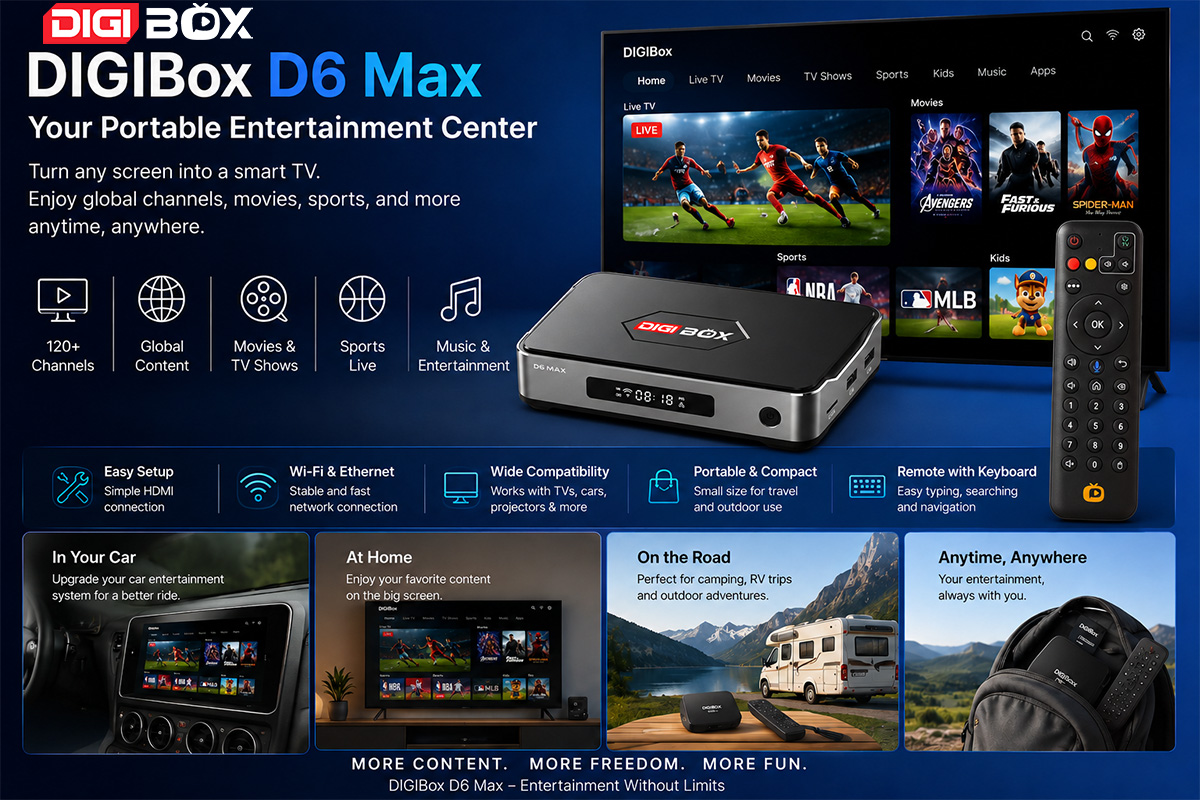
As summer approaches, people spend more time traveling, driving, and enjoying outdoor activities. In these situations, having a simple entertainment solution becomes very useful. The DIGIBox D6 Max is a compact media device designed to turn any screen into a smart entertainment system for both vehicles and home televisions.
What Is the DIGIBox D6 Max
The DIGIBox D6 Max is a small multimedia TV box that functions similarly to a streaming device. It connects to car navigation systems, home TVs, and other display devices through HDMI. Once connected, it allows users to access online entertainment content through a simple interface.
The device is designed for flexible use in different environments, especially for travel and mobile entertainment.
Design and Interfaces
The DIGIBox D6 Max includes several basic but practical interfaces:
HDMI output for video connection
USB ports for accessories and power options
Type-C power input (DC 5V / 2A)
Ethernet port for wired internet connection
These interfaces allow the device to be used in both stable home networks and mobile environments such as cars.
Package Contents
The standard package usually includes:
DIGIBox D6 Max main unit
Power adapter
Type-C power cable
HDMI cable
Wireless remote control with built-in keyboard and mouse function
The remote control makes searching and navigation easier, especially when entering text or switching apps.
Usage Scenarios
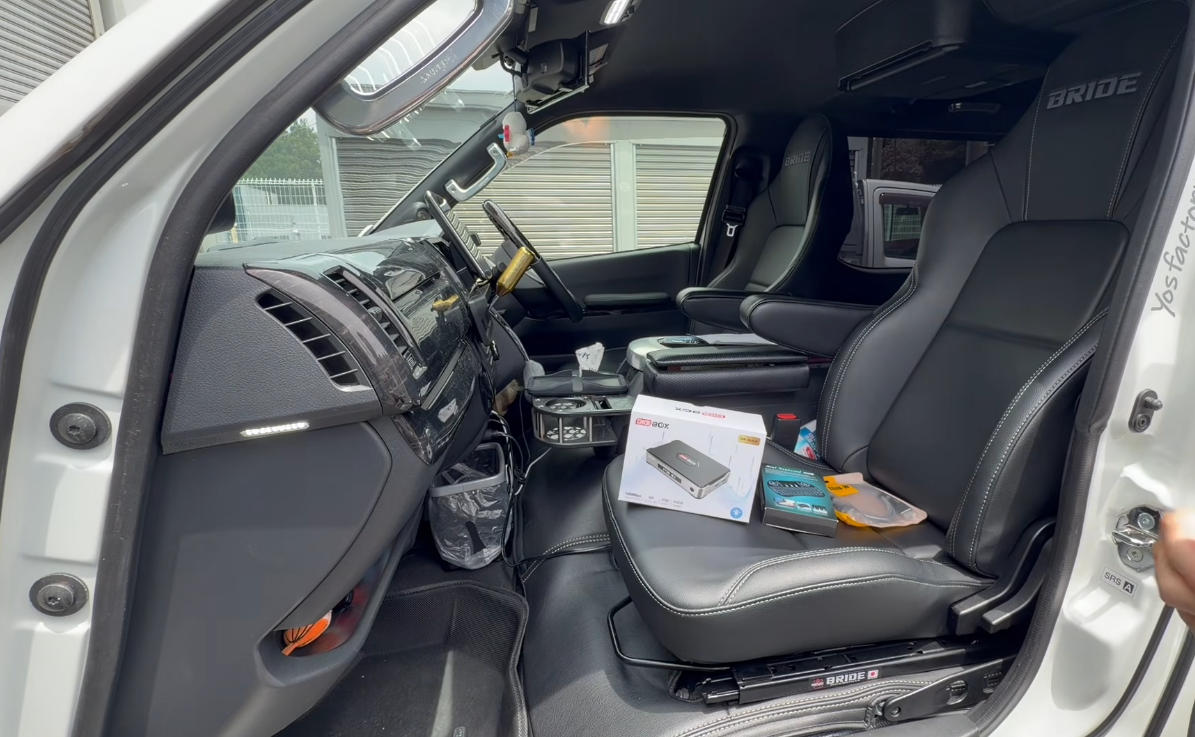
The DIGIBox D6 Max is designed for multiple use cases:
Car entertainment systems
Home televisions
Camping and outdoor travel setups
Portable display devices such as projectors
Its main advantage is portability and compatibility with different screens.
Setup Process
The installation process is simple:
Connect the HDMI cable to the display
Connect the power supply
Pair the wireless remote by holding the OK button
Select language and time zone settings
Connect to Wi-Fi or mobile hotspot
Complete system setup
After these steps, the device is ready for use.
App Installation
Applications can be installed through the built-in browser. A download page such as:
6988c.cc
can be used to install media applications such as CAT TV+, CAT LIVE, and J-CAT VOD. After installation, the apps appear on the home screen for easy access.
Performance Overview
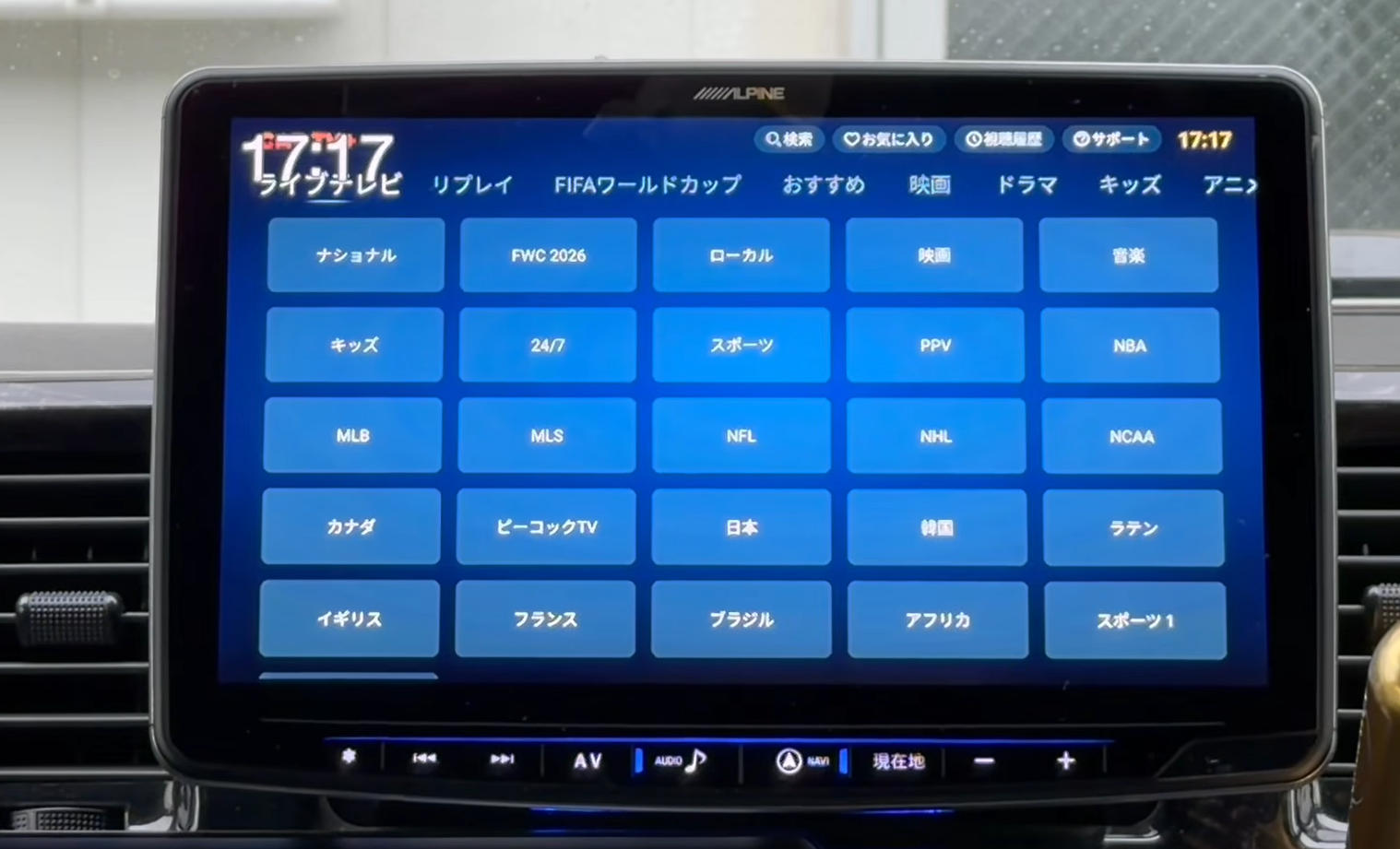
In daily use, the DIGIBox D6 Max provides stable performance for streaming and media playback. Users can access various types of content including international TV channels, sports programs, movies, dramas, and music.
The system responds smoothly in most cases, though some channels may occasionally be under maintenance or temporarily unavailable.
Overall performance is comparable to other mainstream streaming devices.
Important Notes
Some content may vary depending on region and availability. Adult content, if enabled, is restricted to users aged 18 and above. Users should follow local regulations and use the device responsibly.
Conclusion
The DIGIBox D6 Max is a simple and flexible entertainment device suitable for both travel and home use. With HDMI connectivity and easy setup, it can quickly turn almost any screen into a smart TV system.
Its portability makes it especially useful for road trips, camping, and multi-location use. While content availability may change over time, it offers a convenient solution for everyday entertainment needs.
What Is the DIGIBox D6 Max
The DIGIBox D6 Max is a small multimedia TV box that functions similarly to a streaming device. It connects to car navigation systems, home TVs, and other display devices through HDMI. Once connected, it allows users to access online entertainment content through a simple interface.
The device is designed for flexible use in different environments, especially for travel and mobile entertainment.
Design and Interfaces
The DIGIBox D6 Max includes several basic but practical interfaces:
HDMI output for video connection
USB ports for accessories and power options
Type-C power input (DC 5V / 2A)
Ethernet port for wired internet connection
These interfaces allow the device to be used in both stable home networks and mobile environments such as cars.
Package Contents
The standard package usually includes:
DIGIBox D6 Max main unit
Power adapter
Type-C power cable
HDMI cable
Wireless remote control with built-in keyboard and mouse function
The remote control makes searching and navigation easier, especially when entering text or switching apps.
Usage Scenarios
The DIGIBox D6 Max is designed for multiple use cases:
Car entertainment systems
Home televisions
Camping and outdoor travel setups
Portable display devices such as projectors
Its main advantage is portability and compatibility with different screens.
Setup Process
The installation process is simple:
Connect the HDMI cable to the display
Connect the power supply
Pair the wireless remote by holding the OK button
Select language and time zone settings
Connect to Wi-Fi or mobile hotspot
Complete system setup
After these steps, the device is ready for use.
App Installation
Applications can be installed through the built-in browser. A download page such as:
6988c.cc
can be used to install media applications such as CAT TV+, CAT LIVE, and J-CAT VOD. After installation, the apps appear on the home screen for easy access.
Performance Overview
In daily use, the DIGIBox D6 Max provides stable performance for streaming and media playback. Users can access various types of content including international TV channels, sports programs, movies, dramas, and music.
The system responds smoothly in most cases, though some channels may occasionally be under maintenance or temporarily unavailable.
Overall performance is comparable to other mainstream streaming devices.
Important Notes
Some content may vary depending on region and availability. Adult content, if enabled, is restricted to users aged 18 and above. Users should follow local regulations and use the device responsibly.
Conclusion
The DIGIBox D6 Max is a simple and flexible entertainment device suitable for both travel and home use. With HDMI connectivity and easy setup, it can quickly turn almost any screen into a smart TV system.
Its portability makes it especially useful for road trips, camping, and multi-location use. While content availability may change over time, it offers a convenient solution for everyday entertainment needs.


