 USD
USD EUR
EUR GBP
GBP CAD
CAD AUD
AUD HKD
HKD JPY
JPY KRW
KRW SGD
SGD NZD
NZD THB
THB TWD
TWD 繁體中文
繁體中文 日本語
日本語 한국어
한국어 English


By Android TV Box | 02 June 2026 | 0 Comments
MaxG12 TV Box Review: Access Global Entertainment from Anywhere
If you're looking for a TV box that can stream live television, movies, sports, and on-demand content from around the world without monthly subscription fees, the GetMax G12 TV Box may have caught your attention.
In this review, we'll take a closer look at the GetMax G12, explore its features, discuss its performance, and highlight some important considerations before making a purchase.
What Is the GetMax G12 TV Box?
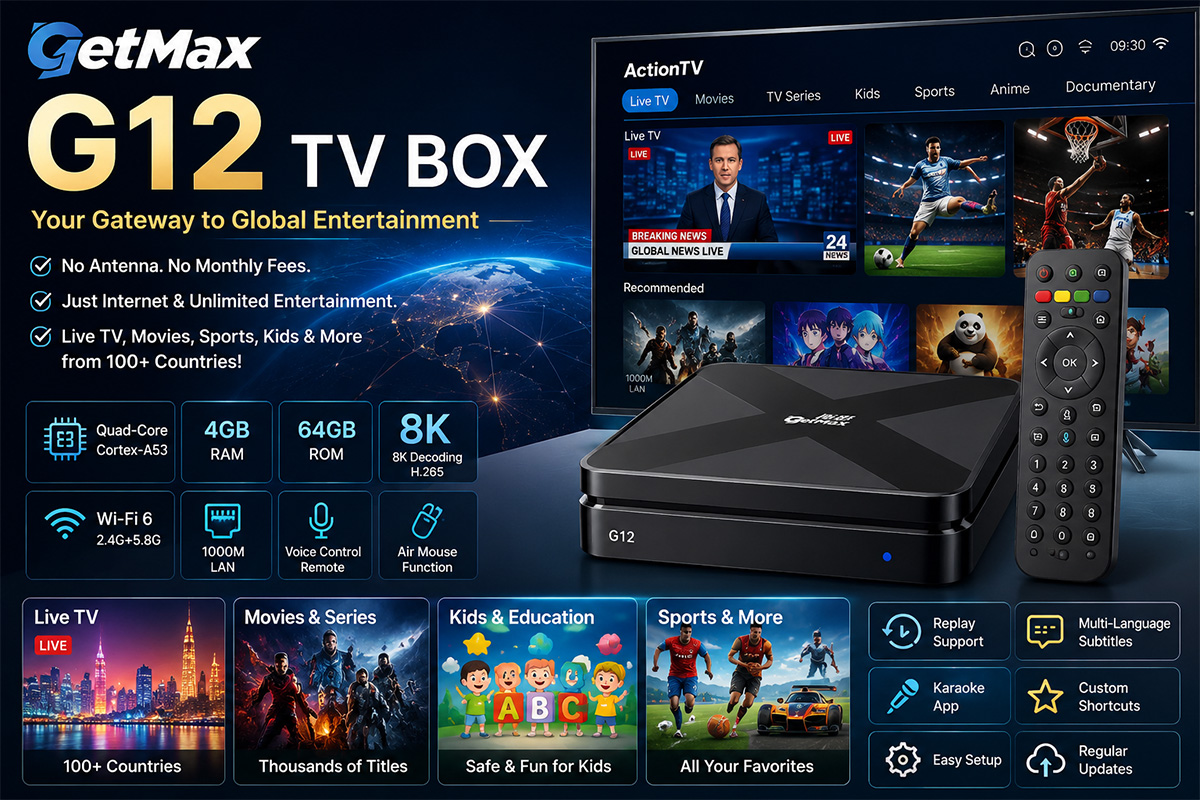
The GetMax G12 is an Android-based streaming TV box designed to provide access to a wide range of entertainment content through an internet connection. According to the manufacturer, users can enjoy thousands of live TV channels, movies, TV shows, sports events, children's programming, and more from over 100 countries.
Unlike traditional cable or satellite services, the GetMax G12 does not require an antenna or monthly subscription fees. As long as you have a stable internet connection, you can stream content from virtually anywhere.
Hardware Specifications
The GetMax G12 comes equipped with impressive hardware designed to deliver smooth streaming performance:
Quad-Core Cortex-A53 Processor
4GB RAM
64GB Internal Storage
Wi-Fi 6 Dual-Band Support (2.4GHz & 5GHz)
Gigabit Ethernet Port
8K Hardware Decoding Support
H.265 Video Compression Technology
Voice-Control Remote Control
Air Mouse Functionality
The combination of these specifications allows the device to handle multitasking, large applications, and high-definition video playback with minimal lag.
Compact Design
One of the first things you'll notice about the GetMax G12 is its compact size.
Measuring approximately 106mm x 106mm with a thickness of only 18mm, the device is small enough to fit neatly beside any television setup without taking up much space.
The package includes:
GetMax G12 TV Box
Remote Control
HDMI Cable
Power Adapter
User Manual
However, some users may find that the included documentation is available only in English and Chinese, with no Japanese manual provided.
Easy Setup Process
Setting up the GetMax G12 is straightforward.
After connecting the device to your television and powering it on, the system boots into the Android setup process. Users can select their preferred language, connect to Wi-Fi, and complete the initial configuration within a few minutes.
Once connected, additional applications can be downloaded through a provided installation portal.
The process is simple enough for most users, even those who have never used an Android TV box before.
Content and Applications
Action TV
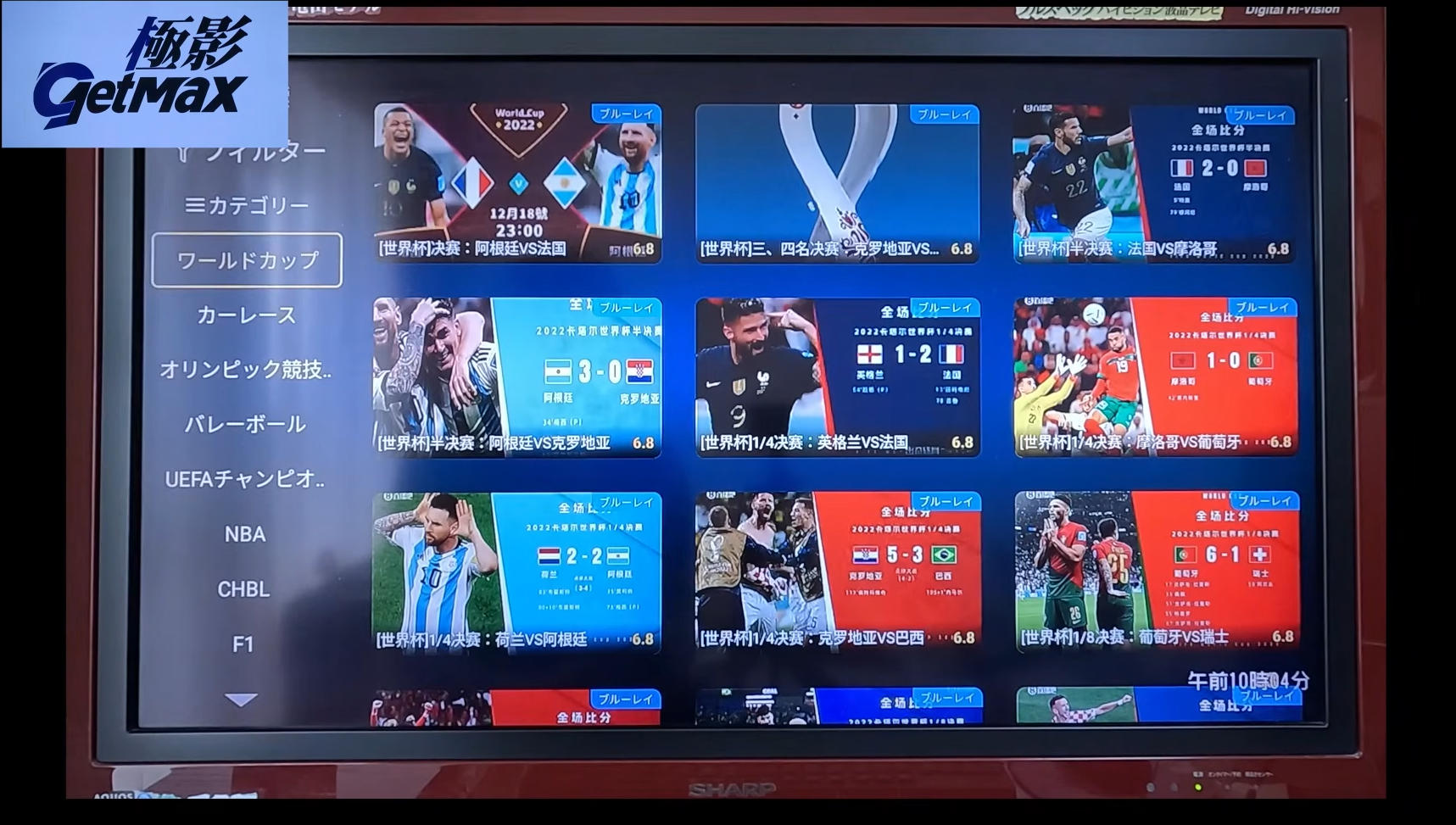
Action TV serves as the primary entertainment platform on the device.
The application offers access to:
Live TV Channels
Movies
TV Series
Short Dramas
Children's Content
Anime
Variety Shows
Sports
Documentaries
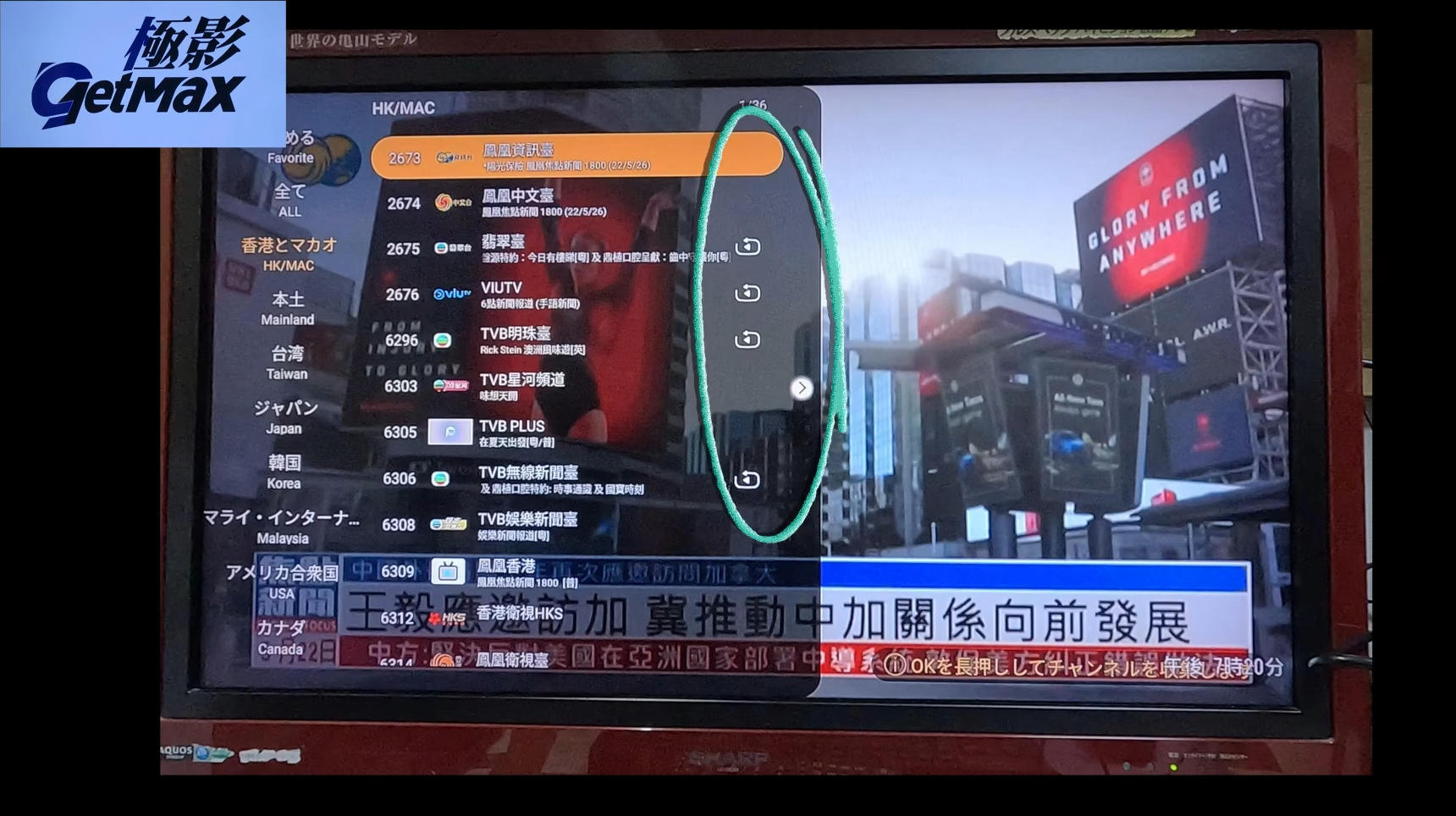
Channels are organized by country and region, making it easy to browse content from the United States, the United Kingdom, Japan, Hong Kong, and many other locations.
An especially useful feature is the replay function, which allows users to watch programs from previous days if they missed the original broadcast.
Action Kids
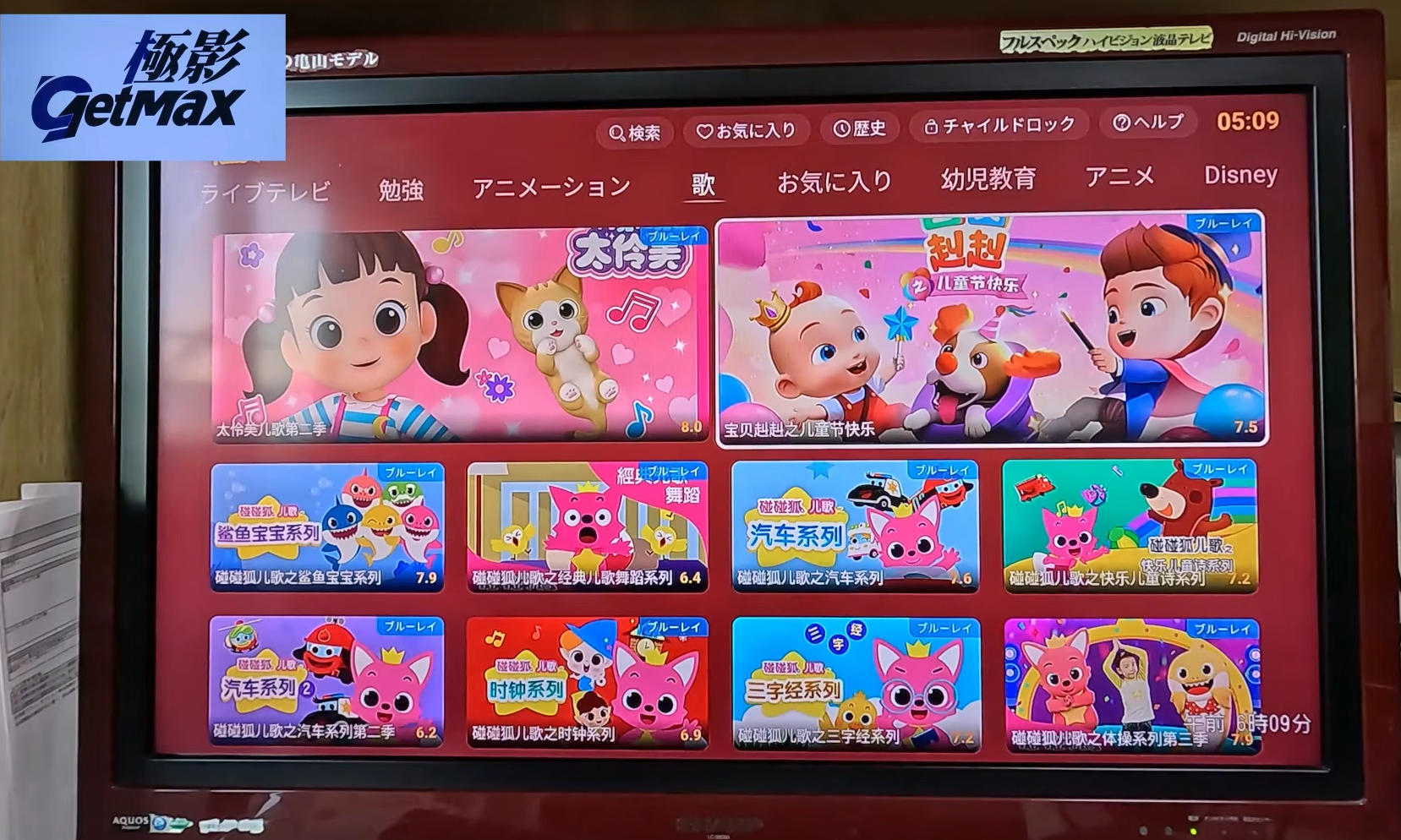
Families with young children may appreciate Action Kids.
The app includes:
Educational Programs
Learning Activities
Animated Content
Children's Songs
Preschool Education
Family-Friendly Entertainment
The content is designed to make learning fun through interactive visuals, music, and storytelling.
Karaoke Application
The built-in karaoke app offers a unique experience.
Although the interface is primarily designed for Chinese-speaking users, many Japanese songs are available, including classic enka hits and popular modern tracks.
The voice search feature allows users to simply speak a song title into the remote control to quickly locate music.
Additional Content Categories
The platform also provides:
International Sports
Concert Performances
Music Programs
Anime Collections
Documentary Series
Recommended Movies and TV Shows
With thousands of titles available, users can spend hours exploring new content from around the world.
Useful Features
Voice Search
One of the standout features is voice control.
Users can simply press the microphone button on the remote and speak commands such as:
Open YouTube
Launch a specific app
Search for content
Check the weather information
This significantly reduces the need for manual typing and navigation.
Air Mouse Function
The remote also includes an air mouse feature.
By activating mouse mode, users can move a cursor on the screen simply by moving the remote in the air. This makes navigation much faster, especially when browsing websites or managing applications.
Custom Shortcut Buttons
The remote includes programmable shortcut buttons that can be assigned to favorite applications.
For example:
One button can launch YouTube instantly.
Another button can open a news application.
This small feature greatly improves convenience during everyday use.
Subtitle and Playback Controls
Many videos support:
Multiple subtitle languages
Adjustable subtitle positioning
Playback speeds from 0.25x to 3x
These options provide a more customizable viewing experience.
Important Considerations
While the GetMax G12 offers an impressive range of content and features, prospective buyers should be aware of several important points.
First, users should carefully evaluate the legality and licensing status of any content they choose to access. Regulations may vary depending on the country or region.
Second, some government agencies have issued general cybersecurity guidance regarding certain internet-connected streaming devices. As with any smart device connected to your home network, users should follow good security practices and exercise appropriate caution.
Finally, content availability and application functionality may change over time due to updates from developers or service providers.
Final Thoughts
The GetMax G12 TV Box delivers a surprisingly comprehensive entertainment experience in a compact package. Its combination of powerful hardware, global content access, voice control, replay functionality, and family-friendly features makes it an attractive option for users seeking an alternative to traditional television services.
The setup process is simple, the interface is relatively easy to navigate, and the variety of available content is impressive. Features such as voice search, customizable shortcuts, and air mouse controls further enhance everyday usability.
For viewers who enjoy exploring international television, movies, sports, and on-demand content, the GetMax G12 offers a versatile and feature-rich streaming solution worth considering.
In this review, we'll take a closer look at the GetMax G12, explore its features, discuss its performance, and highlight some important considerations before making a purchase.
What Is the GetMax G12 TV Box?
The GetMax G12 is an Android-based streaming TV box designed to provide access to a wide range of entertainment content through an internet connection. According to the manufacturer, users can enjoy thousands of live TV channels, movies, TV shows, sports events, children's programming, and more from over 100 countries.
Unlike traditional cable or satellite services, the GetMax G12 does not require an antenna or monthly subscription fees. As long as you have a stable internet connection, you can stream content from virtually anywhere.
Hardware Specifications
The GetMax G12 comes equipped with impressive hardware designed to deliver smooth streaming performance:
Quad-Core Cortex-A53 Processor
4GB RAM
64GB Internal Storage
Wi-Fi 6 Dual-Band Support (2.4GHz & 5GHz)
Gigabit Ethernet Port
8K Hardware Decoding Support
H.265 Video Compression Technology
Voice-Control Remote Control
Air Mouse Functionality
The combination of these specifications allows the device to handle multitasking, large applications, and high-definition video playback with minimal lag.
Compact Design
One of the first things you'll notice about the GetMax G12 is its compact size.
Measuring approximately 106mm x 106mm with a thickness of only 18mm, the device is small enough to fit neatly beside any television setup without taking up much space.
The package includes:
GetMax G12 TV Box
Remote Control
HDMI Cable
Power Adapter
User Manual
However, some users may find that the included documentation is available only in English and Chinese, with no Japanese manual provided.
Easy Setup Process
Setting up the GetMax G12 is straightforward.
After connecting the device to your television and powering it on, the system boots into the Android setup process. Users can select their preferred language, connect to Wi-Fi, and complete the initial configuration within a few minutes.
Once connected, additional applications can be downloaded through a provided installation portal.
The process is simple enough for most users, even those who have never used an Android TV box before.
Content and Applications
Action TV
Action TV serves as the primary entertainment platform on the device.
The application offers access to:
Live TV Channels
Movies
TV Series
Short Dramas
Children's Content
Anime
Variety Shows
Sports
Documentaries
Channels are organized by country and region, making it easy to browse content from the United States, the United Kingdom, Japan, Hong Kong, and many other locations.
An especially useful feature is the replay function, which allows users to watch programs from previous days if they missed the original broadcast.
Action Kids
Families with young children may appreciate Action Kids.
The app includes:
Educational Programs
Learning Activities
Animated Content
Children's Songs
Preschool Education
Family-Friendly Entertainment
The content is designed to make learning fun through interactive visuals, music, and storytelling.
Karaoke Application
The built-in karaoke app offers a unique experience.
Although the interface is primarily designed for Chinese-speaking users, many Japanese songs are available, including classic enka hits and popular modern tracks.
The voice search feature allows users to simply speak a song title into the remote control to quickly locate music.
Additional Content Categories
The platform also provides:
International Sports
Concert Performances
Music Programs
Anime Collections
Documentary Series
Recommended Movies and TV Shows
With thousands of titles available, users can spend hours exploring new content from around the world.
Useful Features
Voice Search
One of the standout features is voice control.
Users can simply press the microphone button on the remote and speak commands such as:
Open YouTube
Launch a specific app
Search for content
Check the weather information
This significantly reduces the need for manual typing and navigation.
Air Mouse Function
The remote also includes an air mouse feature.
By activating mouse mode, users can move a cursor on the screen simply by moving the remote in the air. This makes navigation much faster, especially when browsing websites or managing applications.
Custom Shortcut Buttons
The remote includes programmable shortcut buttons that can be assigned to favorite applications.
For example:
One button can launch YouTube instantly.
Another button can open a news application.
This small feature greatly improves convenience during everyday use.
Subtitle and Playback Controls
Many videos support:
Multiple subtitle languages
Adjustable subtitle positioning
Playback speeds from 0.25x to 3x
These options provide a more customizable viewing experience.
Important Considerations
While the GetMax G12 offers an impressive range of content and features, prospective buyers should be aware of several important points.
First, users should carefully evaluate the legality and licensing status of any content they choose to access. Regulations may vary depending on the country or region.
Second, some government agencies have issued general cybersecurity guidance regarding certain internet-connected streaming devices. As with any smart device connected to your home network, users should follow good security practices and exercise appropriate caution.
Finally, content availability and application functionality may change over time due to updates from developers or service providers.
Final Thoughts
The GetMax G12 TV Box delivers a surprisingly comprehensive entertainment experience in a compact package. Its combination of powerful hardware, global content access, voice control, replay functionality, and family-friendly features makes it an attractive option for users seeking an alternative to traditional television services.
The setup process is simple, the interface is relatively easy to navigate, and the variety of available content is impressive. Features such as voice search, customizable shortcuts, and air mouse controls further enhance everyday usability.
For viewers who enjoy exploring international television, movies, sports, and on-demand content, the GetMax G12 offers a versatile and feature-rich streaming solution worth considering.


