 USD
USD EUR
EUR GBP
GBP CAD
CAD AUD
AUD HKD
HKD JPY
JPY KRW
KRW SGD
SGD NZD
NZD THB
THB TWD
TWD 繁體中文
繁體中文 日本語
日本語 한국어
한국어 English


By Android TV Box | 25 August 2026 | 0 Comments
SVICloud 15P Setup and App Installation Comprehensive Guide
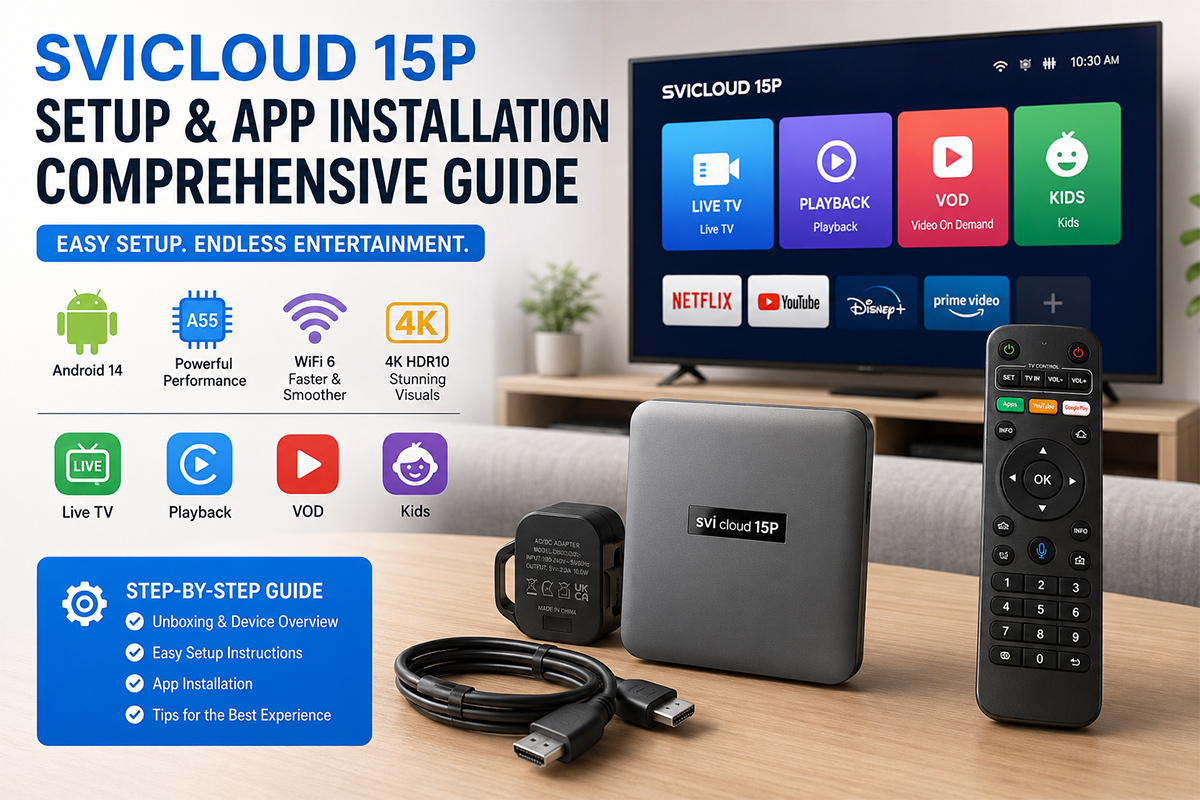
The SVICloud 15P is a new generation Android TV Box designed for live TV, streaming and local media.
Compared with the previous SVICloud 10P, the 15P brings several upgrades, including Android 14, an Air Mouse remote, mobile app support and the Filmax media player.
It provides a complete entertainment experience for live TV, online streaming, NAS media and gaming.
Hardware and Power
The SVICloud 15P includes a Type-C power port, HDMI 2.1, 100M/1000M LAN and two USB 2.0 ports.
The HDMI 2.1 port supports 4K video and HDR. The LAN port provides a stable connection for high-quality streaming and NAS playback.
Please use the original 100V-240V power adapter included with the product. Although the TV Box uses a Type-C port, an unsuitable power adapter may cause unstable operation.
Network Setup
Connect the SVICloud 15P to Wi-Fi or LAN.
For high-bitrate streaming and NAS playback, a wired LAN connection is recommended.
After connecting to the internet, check the system clock. If the clock automatically changes to your local time, the network connection is working correctly.
Bluetooth Remote
The SVICloud 15P remote supports Bluetooth, Air Mouse and voice control.
Bluetooth allows you to control the TV Box without pointing the remote directly at the device.
The Air Mouse function is useful when operating Android apps that are not fully optimized for a traditional TV remote.
App Download
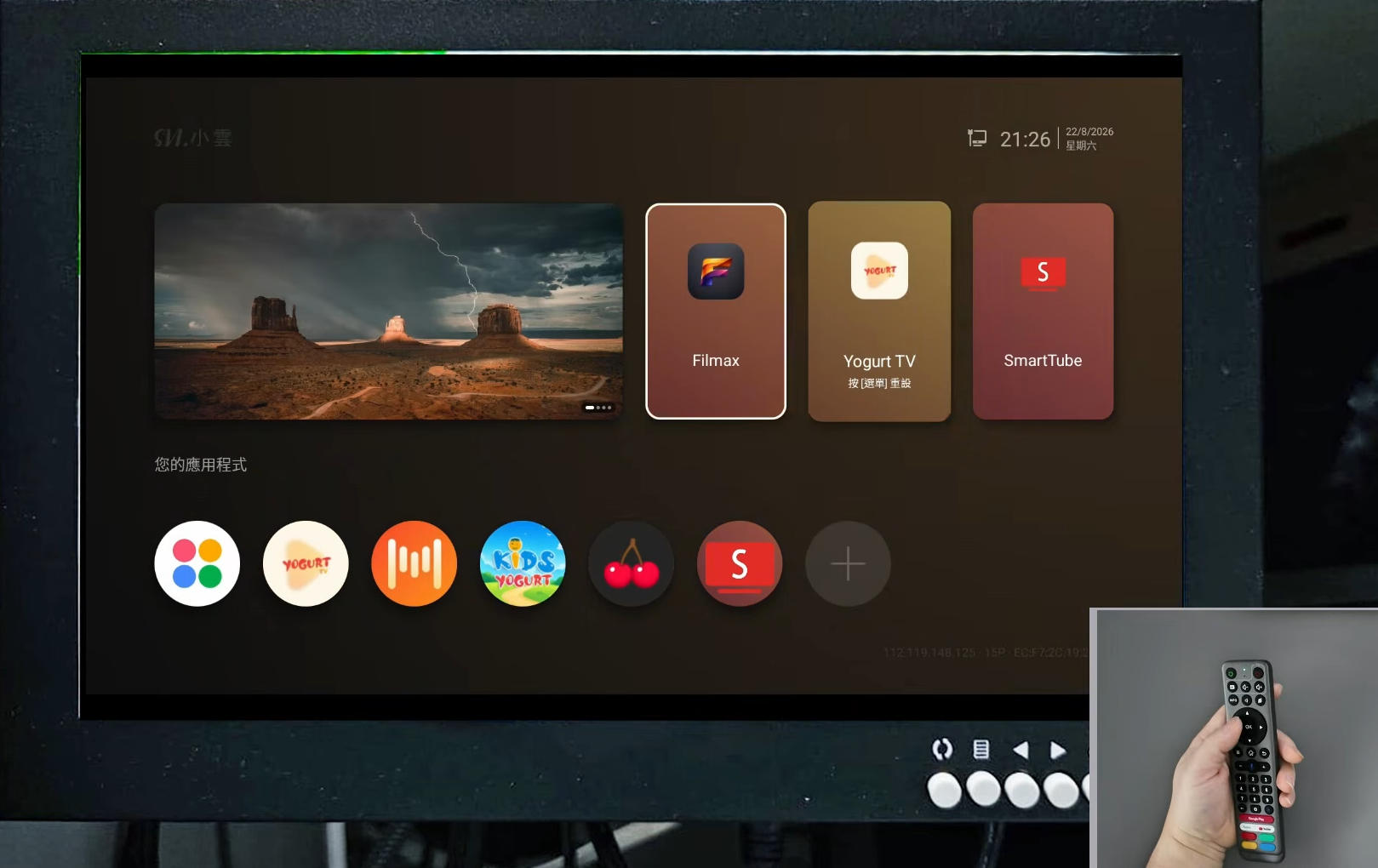
The SVICloud 15P provides access to several applications through the ORZ app.
Open the ORZ app on the TV Box and enter:
https://8989c.cc
Available apps include Yogurt TV for live TV, WeFun for karaoke, Cherry TV for 18+ content, Filmax for local media and Smartube for video.
The download password is 898989.
Frequently used apps can also be added to the home screen for quick access.
App Compatibility
The SVICloud 15P uses an open Android system and supports compatible third-party applications.
Some Android apps may not be optimized for TV Box hardware. If an app shows a Device not supported message, it may not be compatible with the current system.
For the best experience, use the applications provided through the SVICloud app portal.
Yogurt TV
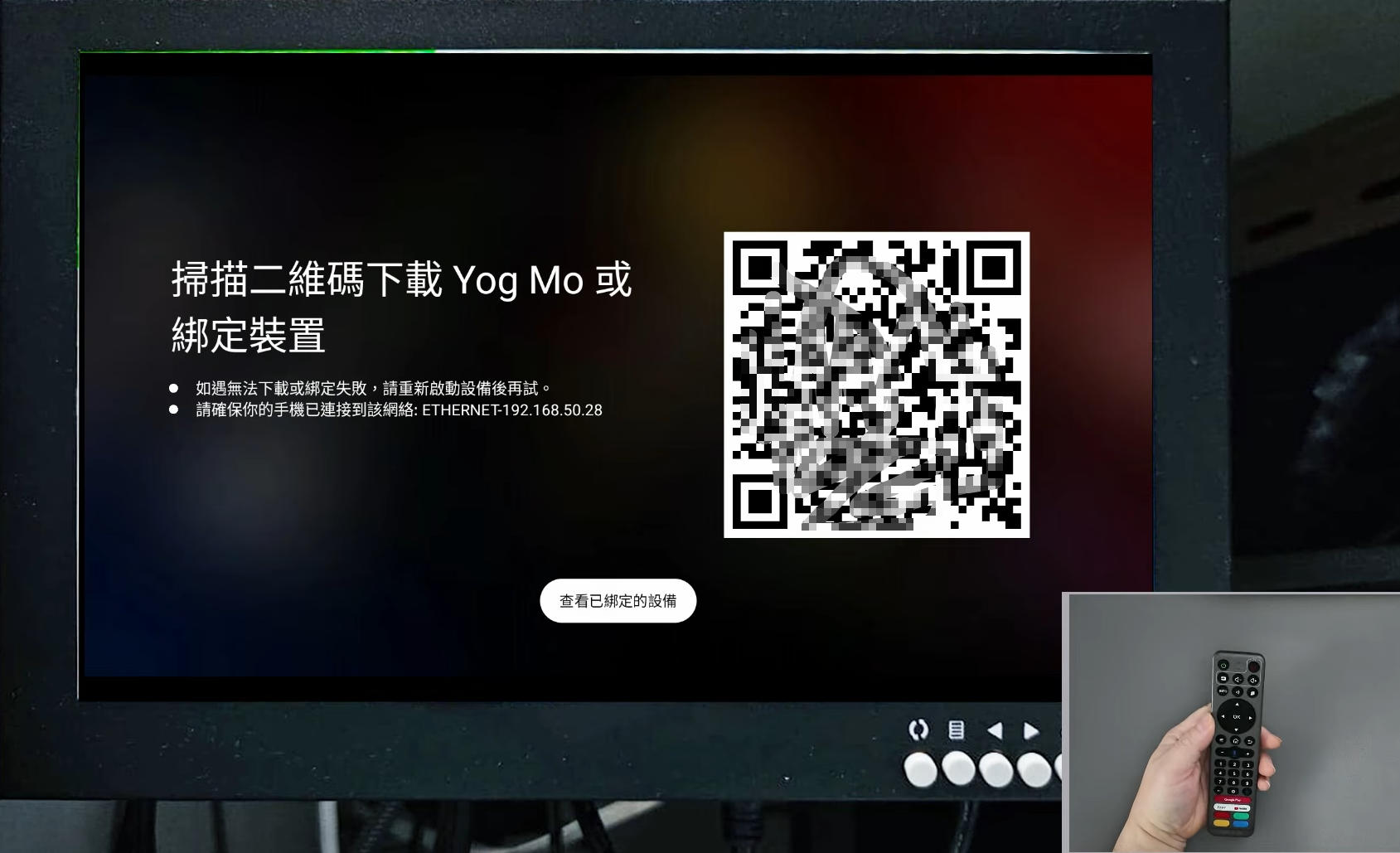
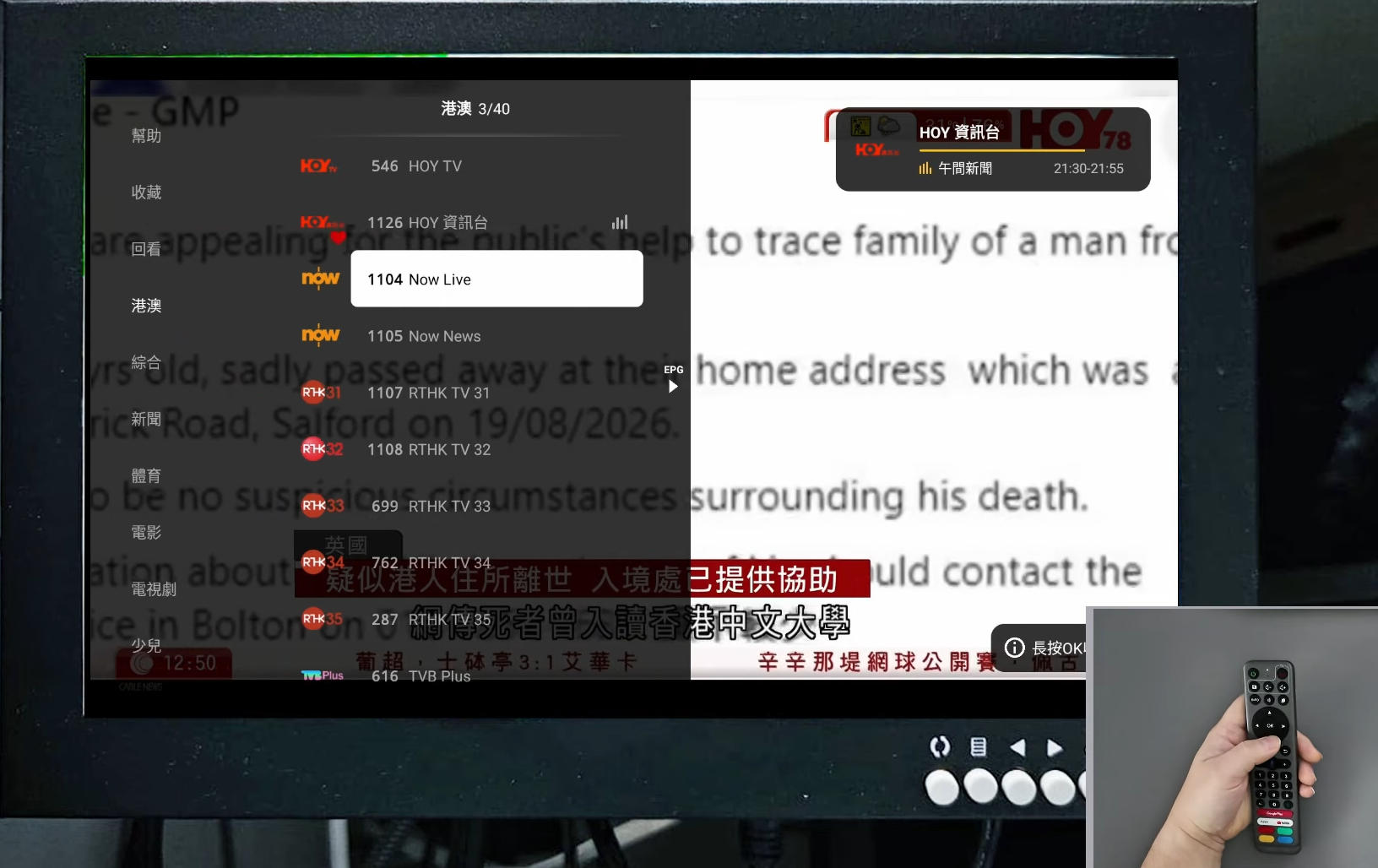
Yogurt TV is one of the main live TV applications on the SVICloud 15P.
The app supports voice input and mobile device connection. Scan the QR code in the app to connect a compatible iOS or Android device.
During live TV playback, move the cursor to the right to view the program guide.
Filmax and NAS
Filmax is designed for users who have local movie collections.
It can connect to a NAS and organize movies into a poster wall.
Open File Manager, select Network, choose Add Network Storage and select SMB/NAS.
Enter the NAS IP address and login information, then select the movie folder and start scanning.
Filmax also supports multiple audio tracks and external subtitles.
Cherry TV
Cherry TV uses a PIN for access control.
The default PIN is 898989.
You can change the PIN in the application settings.
If you forget the PIN, go to System Settings, Applications, Cherry TV and Clear Data. The application will return to its default settings.
System Customization
The four colored buttons on the remote can be assigned to frequently used applications.
You can also enable Auto Start to open a selected application automatically after startup.
HDMI CEC can be enabled to allow the TV and SVICloud 15P to turn on and off together.
Retro Gaming
The SVICloud 15P also supports compatible emulators and Bluetooth controllers.
With a compatible controller, you can enjoy classic games on your TV.
Conclusion
The SVICloud 15P combines live TV, streaming, mobile apps and local media in one Android TV Box.
With Android 14, the Air Mouse remote, mobile device support and Filmax poster wall, the 15P provides a flexible home entertainment experience.
Use the original power adapter and a stable network connection for the best performance.
Compared with the previous SVICloud 10P, the 15P brings several upgrades, including Android 14, an Air Mouse remote, mobile app support and the Filmax media player.
It provides a complete entertainment experience for live TV, online streaming, NAS media and gaming.
Hardware and Power
The SVICloud 15P includes a Type-C power port, HDMI 2.1, 100M/1000M LAN and two USB 2.0 ports.
The HDMI 2.1 port supports 4K video and HDR. The LAN port provides a stable connection for high-quality streaming and NAS playback.
Please use the original 100V-240V power adapter included with the product. Although the TV Box uses a Type-C port, an unsuitable power adapter may cause unstable operation.
Network Setup
Connect the SVICloud 15P to Wi-Fi or LAN.
For high-bitrate streaming and NAS playback, a wired LAN connection is recommended.
After connecting to the internet, check the system clock. If the clock automatically changes to your local time, the network connection is working correctly.
Bluetooth Remote
The SVICloud 15P remote supports Bluetooth, Air Mouse and voice control.
Bluetooth allows you to control the TV Box without pointing the remote directly at the device.
The Air Mouse function is useful when operating Android apps that are not fully optimized for a traditional TV remote.
App Download
The SVICloud 15P provides access to several applications through the ORZ app.
Open the ORZ app on the TV Box and enter:
https://8989c.cc
Available apps include Yogurt TV for live TV, WeFun for karaoke, Cherry TV for 18+ content, Filmax for local media and Smartube for video.
The download password is 898989.
Frequently used apps can also be added to the home screen for quick access.
App Compatibility
The SVICloud 15P uses an open Android system and supports compatible third-party applications.
Some Android apps may not be optimized for TV Box hardware. If an app shows a Device not supported message, it may not be compatible with the current system.
For the best experience, use the applications provided through the SVICloud app portal.
Yogurt TV
Yogurt TV is one of the main live TV applications on the SVICloud 15P.
The app supports voice input and mobile device connection. Scan the QR code in the app to connect a compatible iOS or Android device.
During live TV playback, move the cursor to the right to view the program guide.
Filmax and NAS
Filmax is designed for users who have local movie collections.
It can connect to a NAS and organize movies into a poster wall.
Open File Manager, select Network, choose Add Network Storage and select SMB/NAS.
Enter the NAS IP address and login information, then select the movie folder and start scanning.
Filmax also supports multiple audio tracks and external subtitles.
Cherry TV
Cherry TV uses a PIN for access control.
The default PIN is 898989.
You can change the PIN in the application settings.
If you forget the PIN, go to System Settings, Applications, Cherry TV and Clear Data. The application will return to its default settings.
System Customization
The four colored buttons on the remote can be assigned to frequently used applications.
You can also enable Auto Start to open a selected application automatically after startup.
HDMI CEC can be enabled to allow the TV and SVICloud 15P to turn on and off together.
Retro Gaming
The SVICloud 15P also supports compatible emulators and Bluetooth controllers.
With a compatible controller, you can enjoy classic games on your TV.
Conclusion
The SVICloud 15P combines live TV, streaming, mobile apps and local media in one Android TV Box.
With Android 14, the Air Mouse remote, mobile device support and Filmax poster wall, the 15P provides a flexible home entertainment experience.
Use the original power adapter and a stable network connection for the best performance.


