 USD
USD EUR
EUR GBP
GBP CAD
CAD AUD
AUD HKD
HKD JPY
JPY KRW
KRW SGD
SGD NZD
NZD THB
THB TWD
TWD 繁體中文
繁體中文 日本語
日本語 한국어
한국어 English


By Android TV Box | 15 June 2026 | 0 Comments
UBox12 Review: A Feature-Packed Android TV Box with Global Entertainment Access
Streaming devices have become an essential part of modern home entertainment. From Fire TV Sticks to Android TV boxes, users now have countless options for accessing movies, TV shows, and live channels on their televisions.
Recently, I had the opportunity to test the UBox12, a premium Android TV box that promises a unique entertainment experience with access to international live TV channels, video-on-demand content, and a highly customized Android operating system.
After spending some time with the device, here are my thoughts on its design, features, performance, and overall user experience.
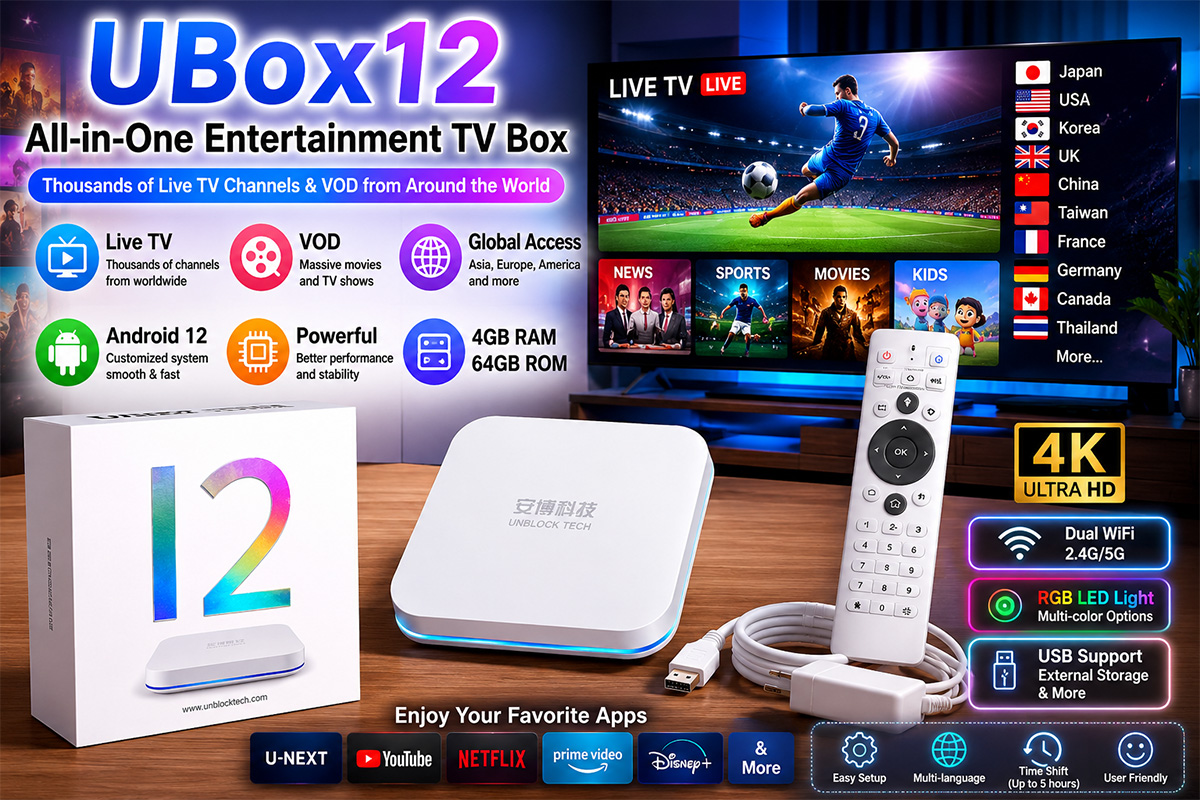
What's Inside the Box?
The UBox12 package includes:
UBox12 TV Box
Remote Control
Power Adapter
HDMI Cable
The device features a compact design and comes with multiple connectivity options, including USB ports for external storage devices and accessories.
Customized Android 12 Experience
Unlike traditional Android TV devices that use the standard Android TV operating system, the UBox12 runs a heavily customized version of Android 12.
This approach provides greater flexibility but also creates a different user experience compared to mainstream streaming devices.
Because the system uses a smartphone-style interface rather than a TV-optimized interface, some applications require additional navigation methods beyond the standard directional buttons.
Unique Remote Control Design
One of the most interesting aspects of the UBox12 is its remote control.
Features include:
Numeric keypad
Programmable shortcut buttons
TV infrared learning function
Built-in mouse mode
The mouse mode is particularly useful because some applications are not fully optimized for traditional TV remote navigation.
With a single button press, users can switch between directional navigation and cursor-based control, making it easier to operate certain apps.
RGB Lighting Effects
The UBox12 includes customizable LED lighting on the front panel.
Users can choose from multiple lighting options, including:
White
Blue
Red
Multi-color mode
Different lighting effects such as steady illumination, breathing mode, and color cycling are also available, allowing users to personalize the appearance of the device.
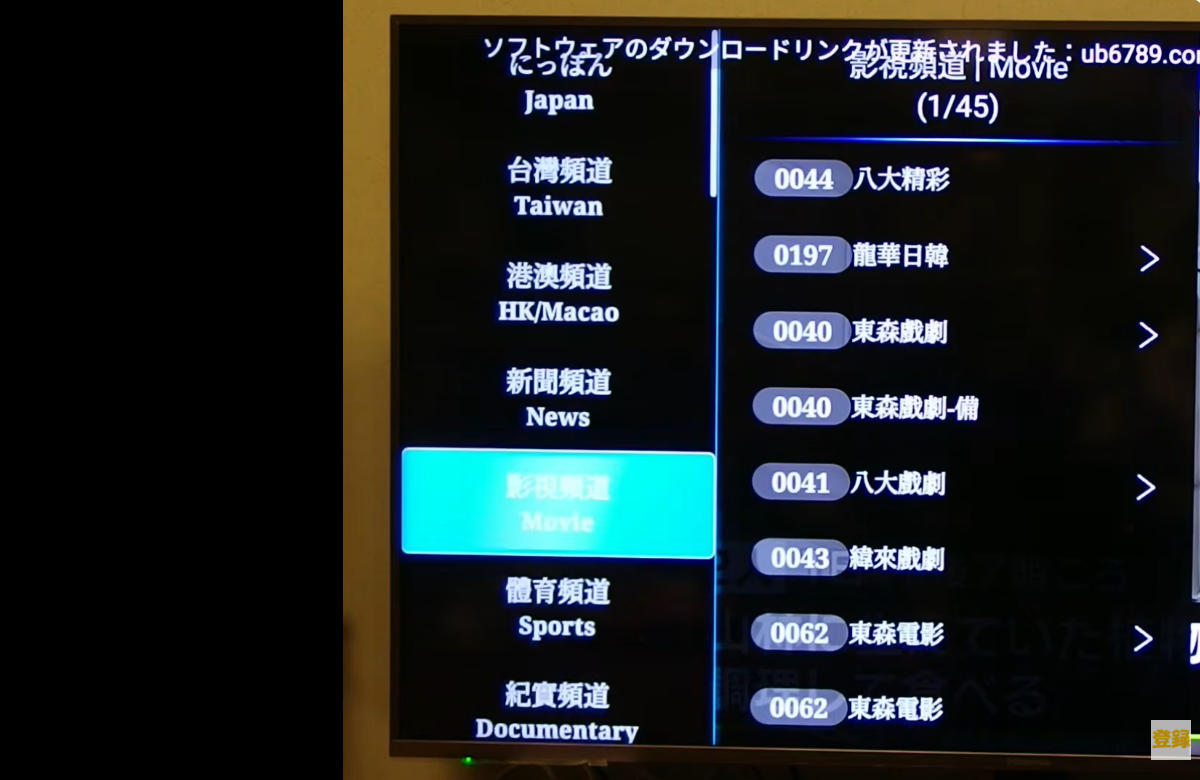
Extensive Live TV Options
One of the biggest selling points of the UBox12 is its live TV platform.
The system provides access to a large selection of channels from various regions around the world, including:
Asia
Japan
South Korea
Taiwan
China
Singapore
Malaysia
Thailand
Philippines
Indonesia
North America
United States
Canada
Europe
United Kingdom
France
Germany
Italy
This wide international coverage may appeal to expatriates, travelers, and multilingual households looking for content from different countries.
Video-On-Demand Content
In addition to live television, the device offers a large catalog of on-demand content.
Users can browse by:
Genre
Country
Release Year
Popularity
Categories include:
Action
Comedy
Romance
Science Fiction
Drama
Documentary
The interface is designed to make content discovery simple and convenient.
Third-Party Streaming Apps
The UBox12 supports installation of many popular Android applications.
During testing:
U-NEXT
Performance was smooth and stable, providing a pleasant viewing experience.
Other Streaming Apps
Compatibility varies depending on the application. Some apps work flawlessly, while others may experience occasional issues due to the customized Android environment.
Users should expect a different experience compared to certified Android TV or Google TV devices.
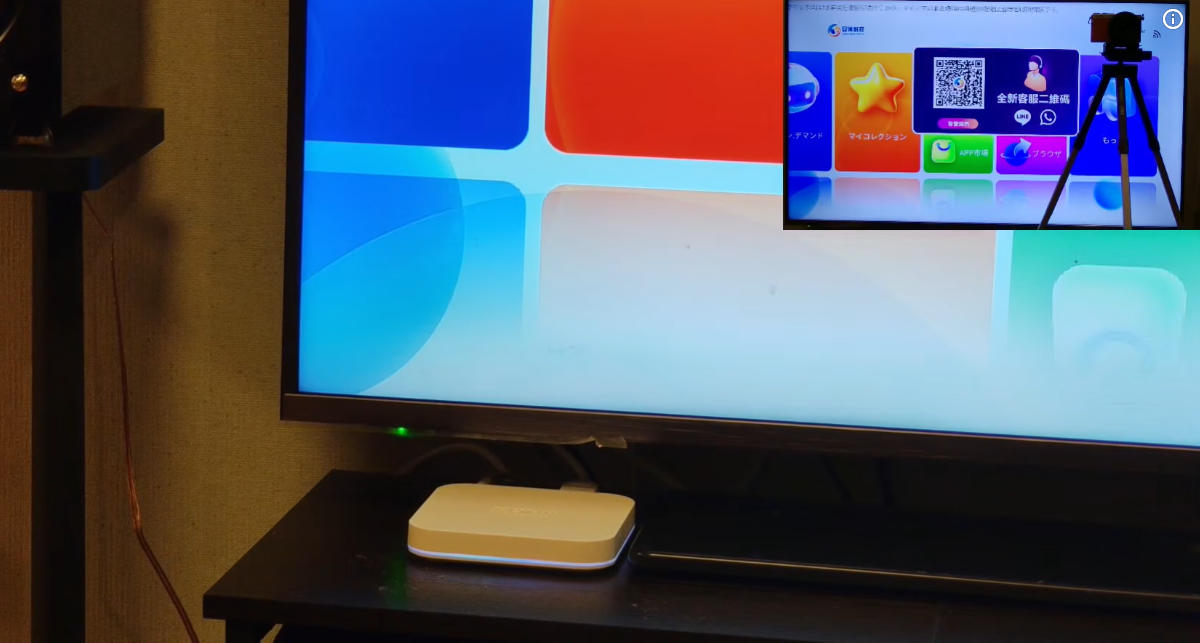
Performance and Usability
The device generally performs well for media playback and streaming.
Pros:
Fast startup speed
Responsive interface
Flexible Android environment
Wide range of content options
Global channel availability
Cons:
Interface is not fully optimized for TV navigation
Mouse mode is sometimes necessary
Some streaming apps may have compatibility limitations
Learning curve for first-time users
Final Verdict
The UBox12 is not your typical Android TV box.
Instead of focusing solely on mainstream streaming services, it aims to provide a broader entertainment ecosystem with international channels, extensive content libraries, and a highly customizable Android experience.
For users who enjoy exploring global content and want more flexibility than a standard streaming device can offer, the UBox12 offers an interesting alternative.
While its customized software may require some adjustment, the combination of international entertainment options, advanced remote functions, and extensive media access makes it a unique product in the TV box market.
If you're looking for something beyond the traditional Android TV experience, the UBox12 is certainly worth considering.
Recently, I had the opportunity to test the UBox12, a premium Android TV box that promises a unique entertainment experience with access to international live TV channels, video-on-demand content, and a highly customized Android operating system.
After spending some time with the device, here are my thoughts on its design, features, performance, and overall user experience.
What's Inside the Box?
The UBox12 package includes:
UBox12 TV Box
Remote Control
Power Adapter
HDMI Cable
The device features a compact design and comes with multiple connectivity options, including USB ports for external storage devices and accessories.
Customized Android 12 Experience
Unlike traditional Android TV devices that use the standard Android TV operating system, the UBox12 runs a heavily customized version of Android 12.
This approach provides greater flexibility but also creates a different user experience compared to mainstream streaming devices.
Because the system uses a smartphone-style interface rather than a TV-optimized interface, some applications require additional navigation methods beyond the standard directional buttons.
Unique Remote Control Design
One of the most interesting aspects of the UBox12 is its remote control.
Features include:
Numeric keypad
Programmable shortcut buttons
TV infrared learning function
Built-in mouse mode
The mouse mode is particularly useful because some applications are not fully optimized for traditional TV remote navigation.
With a single button press, users can switch between directional navigation and cursor-based control, making it easier to operate certain apps.
RGB Lighting Effects
The UBox12 includes customizable LED lighting on the front panel.
Users can choose from multiple lighting options, including:
White
Blue
Red
Multi-color mode
Different lighting effects such as steady illumination, breathing mode, and color cycling are also available, allowing users to personalize the appearance of the device.
Extensive Live TV Options
One of the biggest selling points of the UBox12 is its live TV platform.
The system provides access to a large selection of channels from various regions around the world, including:
Asia
Japan
South Korea
Taiwan
China
Singapore
Malaysia
Thailand
Philippines
Indonesia
North America
United States
Canada
Europe
United Kingdom
France
Germany
Italy
This wide international coverage may appeal to expatriates, travelers, and multilingual households looking for content from different countries.
Video-On-Demand Content
In addition to live television, the device offers a large catalog of on-demand content.
Users can browse by:
Genre
Country
Release Year
Popularity
Categories include:
Action
Comedy
Romance
Science Fiction
Drama
Documentary
The interface is designed to make content discovery simple and convenient.
Third-Party Streaming Apps
The UBox12 supports installation of many popular Android applications.
During testing:
U-NEXT
Performance was smooth and stable, providing a pleasant viewing experience.
Other Streaming Apps
Compatibility varies depending on the application. Some apps work flawlessly, while others may experience occasional issues due to the customized Android environment.
Users should expect a different experience compared to certified Android TV or Google TV devices.
Performance and Usability
The device generally performs well for media playback and streaming.
Pros:
Fast startup speed
Responsive interface
Flexible Android environment
Wide range of content options
Global channel availability
Cons:
Interface is not fully optimized for TV navigation
Mouse mode is sometimes necessary
Some streaming apps may have compatibility limitations
Learning curve for first-time users
Final Verdict
The UBox12 is not your typical Android TV box.
Instead of focusing solely on mainstream streaming services, it aims to provide a broader entertainment ecosystem with international channels, extensive content libraries, and a highly customizable Android experience.
For users who enjoy exploring global content and want more flexibility than a standard streaming device can offer, the UBox12 offers an interesting alternative.
While its customized software may require some adjustment, the combination of international entertainment options, advanced remote functions, and extensive media access makes it a unique product in the TV box market.
If you're looking for something beyond the traditional Android TV experience, the UBox12 is certainly worth considering.


