 USD
USD EUR
EUR GBP
GBP CAD
CAD AUD
AUD HKD
HKD JPY
JPY KRW
KRW SGD
SGD NZD
NZD THB
THB TWD
TWD 繁體中文
繁體中文 日本語
日本語 한국어
한국어 English


By Android TV Box | 27 March 2026 | 0 Comments
UBOX12: Watch Global TV for Free Anywhere – A Complete Review
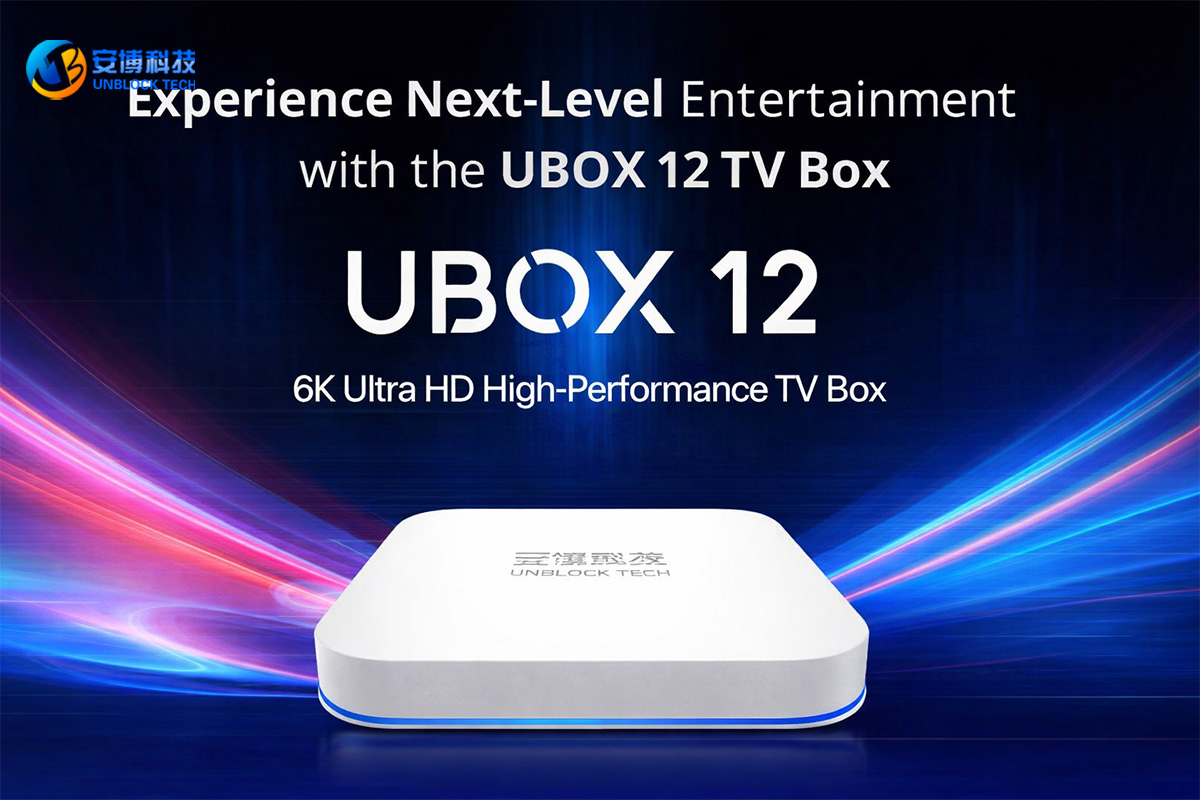
In today's world, streaming devices are becoming increasingly popular, and one product that has caught my attention is the Unblock Tech TV Box UBOX12 (Ubox). This device allows users to watch television channels from around the world for free via the Internet. However, there is one important limitation: the device has not been certified for sale in Japan, which may cause legal or technical restrictions. Still, for international viewers and tech enthusiasts, it offers an intriguing way to access global content.
First Impressions and Box Contents
When opening the box, the main device is immediately visible. The front of the device shows OS12, which is a bit outdated compared to modern standards, as most devices today run up to OS16.
Inside the box, you'll also find:
A remote control (batteries not included)
Power cable
HDMI cable
Various connection cables
The device itself includes multiple ports for flexibility:
AV port (analog output)
HDMI port
Line-in port
USB 2.0 ports (two in total)
MicroSD card slot
Power input
The back of the device has a ventilation slot and two hooks for wall mounting. For my setup, I decided to use a wireless USB keyboard and mouse, which is easier to operate than the small remote, especially for older eyes. This keyboard/mouse combo uses a single USB dongle to function.
Setting Up the Device
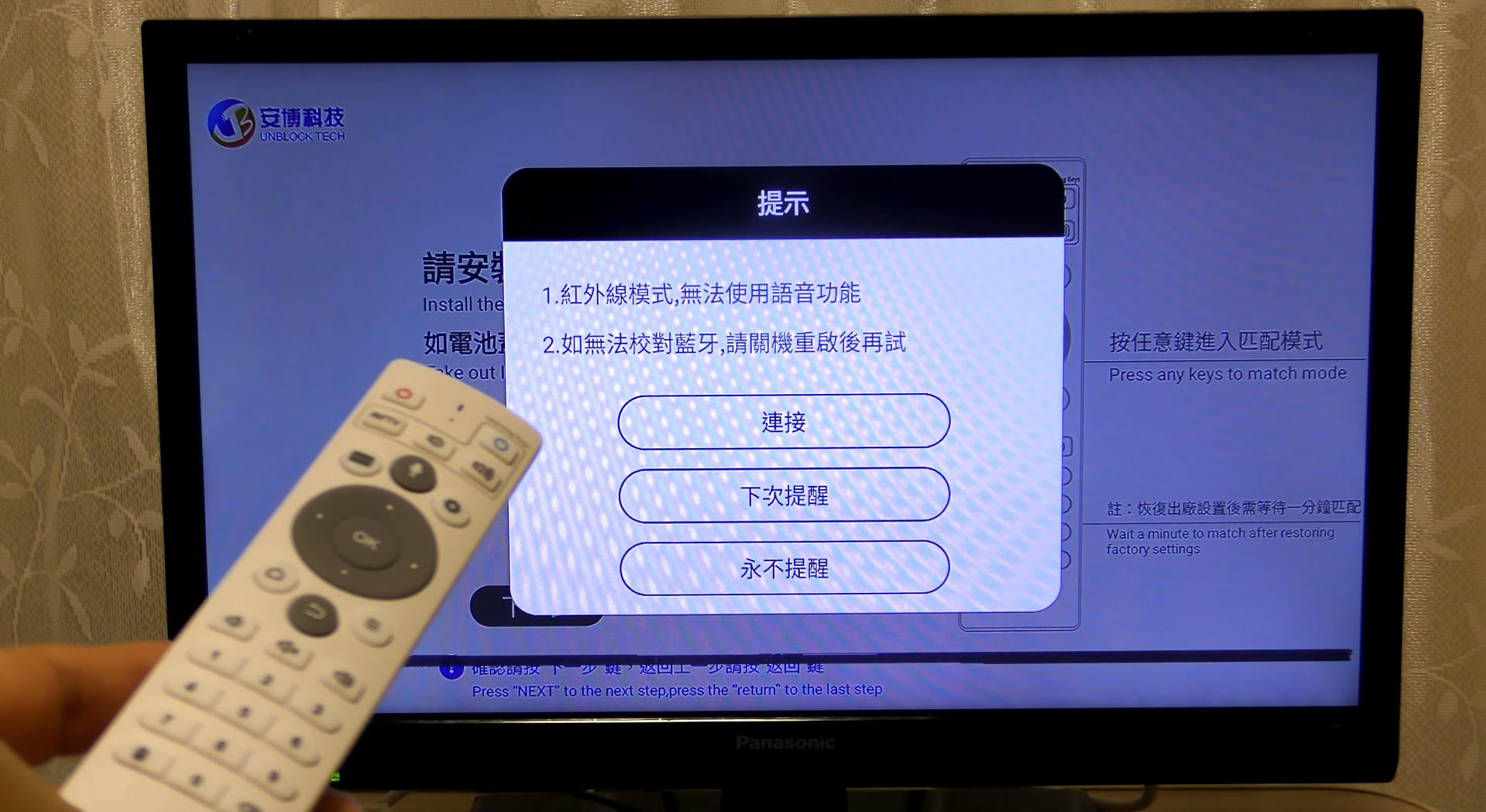
The UBOX12 initially comes with an infrared remote. To unlock all features, it must be switched to Bluetooth mode. This can be done by pressing the three-line menu button and the OK button simultaneously for at least three seconds. Once Bluetooth is activated, you can proceed to language and Wi-Fi settings.
Language and Wi-Fi Configuration
Language: The device defaults to Chinese, so switch it to Japanese (or your preferred language).
Time Zone: Adjust the time zone from China Standard Time to your local time.
Wi-Fi: Connect to your home network and enter the password carefully to avoid errors.
Using a mouse simplifies navigation, especially when scrolling through menus or adjusting settings. Once completed, the device is ready for app installation.
Installing Apps
Since UBOX12 is not officially certified, some apps cannot be installed automatically. Users need to install them manually and at their own risk. The main apps include:
Apple3.0 – The primary app for accessing global TV channels
Movie apps – Light in size, easy to install
UpLive 2.0 – Access to TV broadcasts from the past five days
High-Definition Cinema – Streaming of HD movies
Smart YouTube – Ad-free YouTube experience
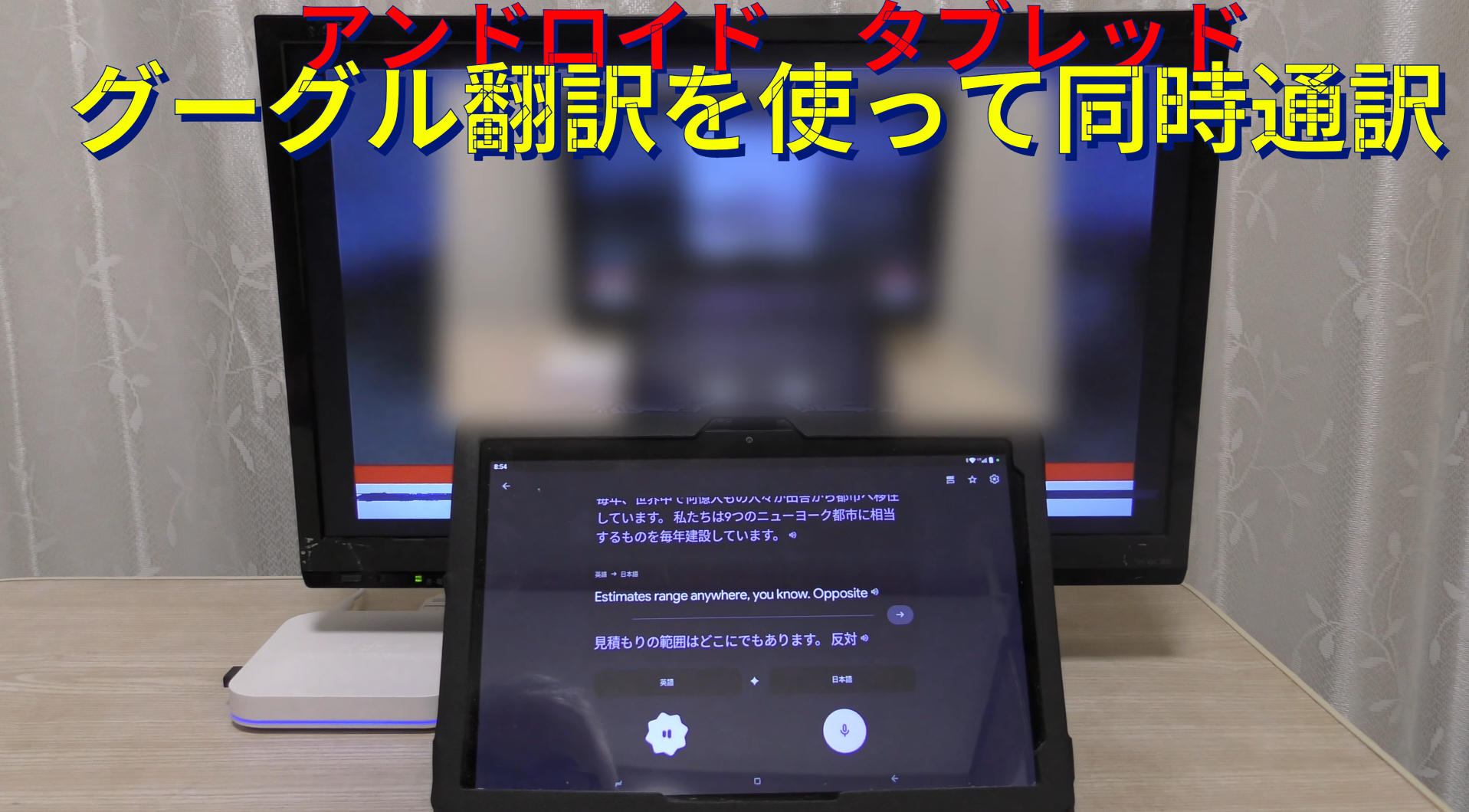
The key app, UpLive 3.0, provides live access to international news and entertainment. For example, BBC News streams smoothly, and you can even use Google Translate for real-time subtitles or voice translation, making it easier to follow foreign broadcasts.
User Experience
The device works well even on smaller screens, such as a 19-inch TV or a laptop monitor. Live channels stream for free, with surprisingly clear audio and video for most broadcasts. By combining subtitle translations or built-in translation apps, users can enjoy global news, sports, and entertainment conveniently.
While some features may not reach the quality of high-end streaming devices, UBOX12 offers an affordable and practical way to explore international media, especially for travelers, language learners, or anyone curious about global events.
Pros and Cons
Pros:
Access to TV channels from around the world
Supports multiple input/output options (HDMI, AV, USB)
Compact and portable
Works with wireless keyboard/mouse for better control
Cons:
Not certified for sale in Japan
Some apps must be installed manually
OS12 is slightly outdated
Small remote may be difficult for elderly users
Conclusion
UBOX12 is a fascinating streaming device that opens the door to global television at your fingertips. Despite some technical and certification limitations, it is an excellent option for anyone looking to enjoy international TV content without subscription fees. With proper setup and manual app installation, this device can bring a world of news, sports, and entertainment directly to your home.
First Impressions and Box Contents
When opening the box, the main device is immediately visible. The front of the device shows OS12, which is a bit outdated compared to modern standards, as most devices today run up to OS16.
Inside the box, you'll also find:
A remote control (batteries not included)
Power cable
HDMI cable
Various connection cables
The device itself includes multiple ports for flexibility:
AV port (analog output)
HDMI port
Line-in port
USB 2.0 ports (two in total)
MicroSD card slot
Power input
The back of the device has a ventilation slot and two hooks for wall mounting. For my setup, I decided to use a wireless USB keyboard and mouse, which is easier to operate than the small remote, especially for older eyes. This keyboard/mouse combo uses a single USB dongle to function.
Setting Up the Device
The UBOX12 initially comes with an infrared remote. To unlock all features, it must be switched to Bluetooth mode. This can be done by pressing the three-line menu button and the OK button simultaneously for at least three seconds. Once Bluetooth is activated, you can proceed to language and Wi-Fi settings.
Language and Wi-Fi Configuration
Language: The device defaults to Chinese, so switch it to Japanese (or your preferred language).
Time Zone: Adjust the time zone from China Standard Time to your local time.
Wi-Fi: Connect to your home network and enter the password carefully to avoid errors.
Using a mouse simplifies navigation, especially when scrolling through menus or adjusting settings. Once completed, the device is ready for app installation.
Installing Apps
Since UBOX12 is not officially certified, some apps cannot be installed automatically. Users need to install them manually and at their own risk. The main apps include:
Apple3.0 – The primary app for accessing global TV channels
Movie apps – Light in size, easy to install
UpLive 2.0 – Access to TV broadcasts from the past five days
High-Definition Cinema – Streaming of HD movies
Smart YouTube – Ad-free YouTube experience
The key app, UpLive 3.0, provides live access to international news and entertainment. For example, BBC News streams smoothly, and you can even use Google Translate for real-time subtitles or voice translation, making it easier to follow foreign broadcasts.
User Experience
The device works well even on smaller screens, such as a 19-inch TV or a laptop monitor. Live channels stream for free, with surprisingly clear audio and video for most broadcasts. By combining subtitle translations or built-in translation apps, users can enjoy global news, sports, and entertainment conveniently.
While some features may not reach the quality of high-end streaming devices, UBOX12 offers an affordable and practical way to explore international media, especially for travelers, language learners, or anyone curious about global events.
Pros and Cons
Pros:
Access to TV channels from around the world
Supports multiple input/output options (HDMI, AV, USB)
Compact and portable
Works with wireless keyboard/mouse for better control
Cons:
Not certified for sale in Japan
Some apps must be installed manually
OS12 is slightly outdated
Small remote may be difficult for elderly users
Conclusion
UBOX12 is a fascinating streaming device that opens the door to global television at your fingertips. Despite some technical and certification limitations, it is an excellent option for anyone looking to enjoy international TV content without subscription fees. With proper setup and manual app installation, this device can bring a world of news, sports, and entertainment directly to your home.


